Hiddify
- 4.6
- Rating
- 5.00M
- Installs
- Free
- Price

 Analysis by App-foxy
Choosing a proxy tool is rarely about finding the longest feature list. In practice, I want something that can import the connection details I already use, switch between different protocols without turning every change into a technical project, and stay understandable when a connection fails. That is the standard I applied to Hiddify, a free tools app from UnboundTechCo that brings several proxy approaches into one mobile interface.
My overall impression is that it is aimed at people who have outgrown a single-purpose proxy app but do not necessarily want to manage several separate clients. Its store summary points to support for Singbox, Clash, SSH, Hysteria, Reality, and Trojan, so the main attraction is breadth rather than a single proprietary system. That makes it interesting for experienced users, while also creating a learning curve for anyone who has never handled proxy profiles before.
Hiddify is best understood as a flexible connection manager, not a magic one-tap privacy solution. It can make a complicated collection of profiles easier to carry on a phone, but the quality of the result still depends on the configuration, server, and protocol choices available to you. That distinction matters before you replace a simpler alternative.
You May Also Like

 Blood Strike: 2.5 Anniversary
Blood Strike’s Loadouts Turn Every Drop Into a Tactical Gamble
A close look at Blood Strike’s custom loadouts: how fast access to signature weapons reshapes its battle royale rhythm, rewards preparation, and narrows the gap between fights.

 Pandora - Music & Podcasts
Pandora’s Music Is Easy to Start, but Harder to Recover
Pandora’s strength is its low-effort path from a seed to a station. Its weak spot is how much confidence it asks you to place in connection, setup, and quiet recovery.

 8 Ball Pool
 Is Built on Rivalries, Rematches, and Routine
A close look at the rivalries, rematches, shared routines, and unanswered safety questions that turn a quick pool match into a persistent mobile community.

 Samsung Music
’s Quiet Strength Is Playing What You Already Own
Its reach comes less from spectacle than from dependable access to a personal library. That simplicity is both the app’s strongest retention engine and its ceiling.

 AccuWeather: Weather Radar
AccuWeather Review: A Quick, Clear Forecast for Everyday Decisions
For everyday plans, the best forecast is the one you can understand quickly. AccuWeather makes rain timing, radar, and local conditions easy to act on, with a few trade-offs.

 Hill Climb Racing
Why Hill Climb Racing Still Turns Crashes Into One More Run
A tiny car, a bumpy hill and one more upgrade: Hill Climb Racing keeps resurfacing because its simple chaos makes every near-miss feel personal.
More From Our News Desk



How I judged Hiddify as a daily proxy tool
I focused first on the decision most readers actually face: do I need a broad, multiplatform-style client, or would a basic proxy application be less troublesome? Hiddify belongs in the first group. The app is designed around handling multiple connection formats, which is useful when one profile becomes unreliable or when a provider supplies configurations in different forms.
The second criterion was profile management. A proxy app can support many protocols and still be frustrating if importing, selecting, updating, or disabling a profile feels opaque. With Hiddify, I would approach setup as a small configuration task rather than an instant consumer setup. That is not necessarily a weakness, but it changes who will enjoy using it.
The third criterion was switching. A good multi-protocol client should reduce the need to uninstall one app and install another whenever a provider changes format. Hiddify’s appeal is strongest here: Singbox, Clash, SSH, Hysteria, Reality, and Trojan support gives it a wider working area than a client built around only one ecosystem. I would still judge each profile individually, because compatibility on paper does not guarantee that every imported configuration behaves identically.
I also considered whether the app makes sense for different phone users. Someone who only wants a simple toggle and has one dependable configuration may prefer a smaller client. Someone who keeps several profiles, tests different routes, or receives configuration links from more than one source has a clearer reason to choose this app.
Finally, I considered the cost of changing tools. Hiddify is free, has an Everyone content rating, and runs on Android starting with version 7.0. That lowers the barrier to trying it, although the real cost is time: you may need to learn how your profiles are organized and which settings are safe to change. Free does not always mean effortless.
What the interface is really asking you to understand
The central challenge is that terms such as Singbox, Clash, SSH, Hysteria, Reality, and Trojan describe different ways of establishing a connection, not interchangeable buttons with identical behavior. A new user may see a long list and assume that choosing the most advanced-sounding option is automatically better. I would avoid that approach. Use the format supplied by your configuration, and change protocols only when you have a specific reason.
This is one of the app’s less obvious trade-offs. Its range can prevent tool-hopping, but it also exposes more technical vocabulary than a basic proxy switcher. If you are helping a family member configure a phone remotely, the simpler app may be easier to explain. If you are managing your own profiles and want room to adapt, the same complexity becomes useful.
Where the broad protocol support helps most
The strongest use case is a person who receives profiles from different sources over time. Instead of keeping one app for a Clash-style configuration, another for SSH, and another for a Singbox-based setup, Hiddify gives you a common place to try them. That does not remove the need to understand the source of each profile, but it can make the phone less cluttered and the switching process more consistent.
A realistic everyday example would be a commuter who uses a phone on home Wi-Fi in the morning, a mobile connection during the day, and a public network later. The user may keep more than one profile available because the same route does not perform equally well everywhere. In that situation, Hiddify is valuable not because it guarantees a perfect connection, but because it makes a small collection of alternatives easier to keep within reach.
Another useful scenario is troubleshooting. If a profile stops working, a multi-format client lets you test whether the problem is tied to that profile or to the general network. I would first switch to a known alternative, then return to the original configuration rather than randomly changing several settings at once. This simple habit makes diagnosis much easier and reduces the risk of losing a working setup.
Small workflow choices that make a difference
My first practical tip is to keep profile names meaningful. A name based only on a provider’s default label may tell you very little later. I would identify profiles by location, purpose, or network context, while avoiding sensitive personal details in names. Clear labels are especially useful when several entries use similar protocols.
My second tip is to change one variable at a time. If you import a new profile, switch the profile first and leave advanced options alone. If that fails, test another known profile before editing transport or routing choices. This gives you a reference point and prevents a chain of unexplained changes.
A third tip is to treat imported configurations as instructions from a source you trust, not as harmless text. The app’s ability to work with several configuration families is convenient, but convenience should not replace judgment. I would only use profiles from a source I recognize, remove old entries that I no longer need, and avoid copying configuration material into random tools just to make it work.
A fourth insight is that a profile’s name and protocol do not tell you everything about the experience. A theoretically suitable profile can still be slow or unstable on a particular network. I would keep one or two alternatives ready and judge them by the situations in which I actually use them. That is more useful than assuming one protocol is universally superior.
Where Hiddify wins against simpler alternatives
Compared with a basic proxy app, Hiddify wins on flexibility. A simple client may be easier on the first launch, but it can become a dead end when your configuration source changes format. Hiddify is more appealing if you want one place for multiple profile types and would rather learn one interface than maintain a collection of specialized apps.
It also wins for users who want to separate connection choices from the rest of their phone setup. Keeping profiles in a dedicated tools app can make it easier to test a change without altering unrelated device settings. The benefit is organizational rather than flashy, but I noticed that it matters once you have more than one working option.
Its public adoption also makes it less of an unknown quantity for someone deciding whether to try it. Hiddify has a 4.6 average from around 134 thousand ratings, and it has passed 5 million installs. Those figures do not prove that every configuration will work for every person, but they do suggest that the app has reached a substantial audience rather than remaining a niche experiment.
The current release is version 4.1.1, and the app was released on September 22, 2023. I mention this because version awareness matters with connection tools: an interface or import behavior can change after an update, so I would avoid relying on old screenshots or instructions without checking how the current app presents the same task.
Where a different category may fit better
If your priority is absolute simplicity, a provider-specific client may be the better choice. Such an app usually limits the number of decisions you need to make, which is helpful when the provider controls the profiles and offers direct setup guidance. Hiddify’s flexibility is not an advantage if you never use it.
If you are a network specialist who wants a highly granular desktop workflow, a dedicated desktop client may still be more comfortable. A phone app is convenient for mobility, but small screens are not ideal for comparing long configuration entries or investigating complicated failures. Hiddify can be a practical mobile companion without replacing every other tool.
There is also a case for skipping it if you do not already have a legitimate configuration source. Installing a multi-protocol client does not automatically provide a connection service. You still need a profile or server arrangement that you are entitled to use. A person expecting the app itself to supply a complete, ready-to-run network service may be disappointed.
Likewise, I would not recommend choosing it solely because a protocol name sounds modern. Compatibility, reliability, and the trustworthiness of the source matter more than technical vocabulary. When a simpler alternative solves your actual problem, adding more options can create unnecessary maintenance.
The real cost of switching from another proxy app
The financial side is straightforward: Hiddify is free. The practical cost is migration. You may need to identify which of your existing profiles belong in the app, import them in the correct form, rename them, and test them one by one. I would not delete the old client immediately. Keep it available until the profiles you rely on have worked in the situations that matter to you.
Before switching, I would make a short inventory of current profiles and note which one is used for which network. That prevents the common mistake of importing everything without knowing which entries are still relevant. After the move, test a normal browsing session, a connection change, and a return to the original network. These checks reveal more than simply seeing a connected indicator.
People often ask whether Hiddify is suitable for older phones. Its minimum operating system is Android 7.0, so the answer depends on the device rather than the app’s age alone. On a compatible phone, I would still leave enough storage and system resources for ordinary use, but I would not assume that every old device will feel equally comfortable with a feature-rich configuration tool.
Another practical question is whether beginners can use it. They can, provided they have clear profile instructions and are willing to learn a few terms. The app is not the kind of tool I would hand to someone with no configuration source and describe as self-explanatory. For a first-time user, a provider with precise setup steps may be a better starting point, after which Hiddify can become useful when the need for flexibility appears.
Users also ask whether supporting several protocols means every profile can be mixed and matched freely. I would not assume that. Use the format the profile was created for, and treat any conversion or manual editing as a separate technical task. Hiddify’s strength is bringing supported formats together, not making unrelated configuration systems identical.
Privacy expectations and responsible use
A proxy client should not be confused with a complete privacy strategy. Hiddify can manage connection profiles, but your overall privacy still depends on the service behind those profiles, the networks you use, the accounts you sign into, and the information you choose to share. I would avoid making sensitive decisions based only on a connected status.
I also recommend keeping the app’s role clear. It is a tools app for managing proxy connections, not a replacement for device security, careful browsing habits, or a trustworthy service provider. That may sound obvious, but the more protocols an app supports, the easier it is for users to mistake technical flexibility for guaranteed anonymity.
For everyday use, I would create a conservative routine: choose a trusted profile, connect only when needed, verify that the expected connection is active, and disconnect when the task is finished if continuous routing is unnecessary. This approach keeps the app useful without turning every network change into an experiment.
My recommendation for different kinds of users
I recommend Hiddify to users who already work with multiple proxy formats or expect to switch between them. It is particularly suitable for people who value having one mobile tool for Singbox, Clash, SSH, Hysteria, Reality, and Trojan configurations instead of maintaining separate clients. The free price makes experimentation easier, and the Everyone rating makes it broadly approachable from an age-category perspective.
I would also recommend it to technically curious users who are comfortable reading setup instructions and testing profiles methodically. The app rewards that patience. Its best quality is not that it hides every technical detail, but that it gives those details a common home on the phone.
I would skip it when the only requirement is a single, provider-managed connection with the fewest possible choices. In that case, a simpler alternative may reduce mistakes and support questions. I would also skip it if you are unwilling to learn what your profile represents or where it came from. More control is helpful only when you are prepared to use it responsibly.
After using it as a decision rather than a feature-count exercise, I see Hiddify as a strong middle ground. It is more capable than a one-purpose proxy switcher, yet more approachable on a phone than a collection of disconnected specialist tools. The trade-off is clear: you gain protocol breadth and profile flexibility, but you accept more setup responsibility.
My final advice is simple: choose Hiddify when flexibility is the problem you are trying to solve. Start with one trusted profile, learn the basic workflow, keep a tested alternative, and resist changing advanced settings without a reason. If that sounds reasonable, this free app is worth trying. If it sounds like unnecessary work, a narrower client will probably serve you better—and that is not a failure of Hiddify, just a sign that its main strength is not the strength you need.
For me, the app earns its place as a practical mobile tool because it reduces the need to jump between clients when connection formats change. It does not remove the technical side of proxy use, and it should not be presented as a universal answer. Used with realistic expectations, however, it gives experienced users a flexible way to organize and test their connections without paying for the app itself.
FAQs for Hiddify
01What is Hiddify and what does it do?
Hiddify is a privacy-focused application designed to enhance your online security and anonymity. It offers features such as encrypted browsing, secure file sharing, and IP masking. By using Hiddify, users can protect their personal data from hackers and unwanted surveillance, making it a crucial tool for maintaining digital privacy.
02Is Hiddify compatible with both Android and iOS devices?
Yes, Hiddify is available for download on both Android and iOS platforms. The app is optimized for each operating system, ensuring a seamless user experience. Users can access the app through the Google Play Store for Android devices and the Apple App Store for iOS devices.
03Does Hiddify offer a free version, or is it subscription-based?
Hiddify offers a freemium model, where users can access basic features at no cost. For more advanced features and enhanced privacy options, a subscription plan is available. The subscription provides additional benefits such as faster connections, priority support, and access to premium servers.
04How user-friendly is the Hiddify interface for beginners?
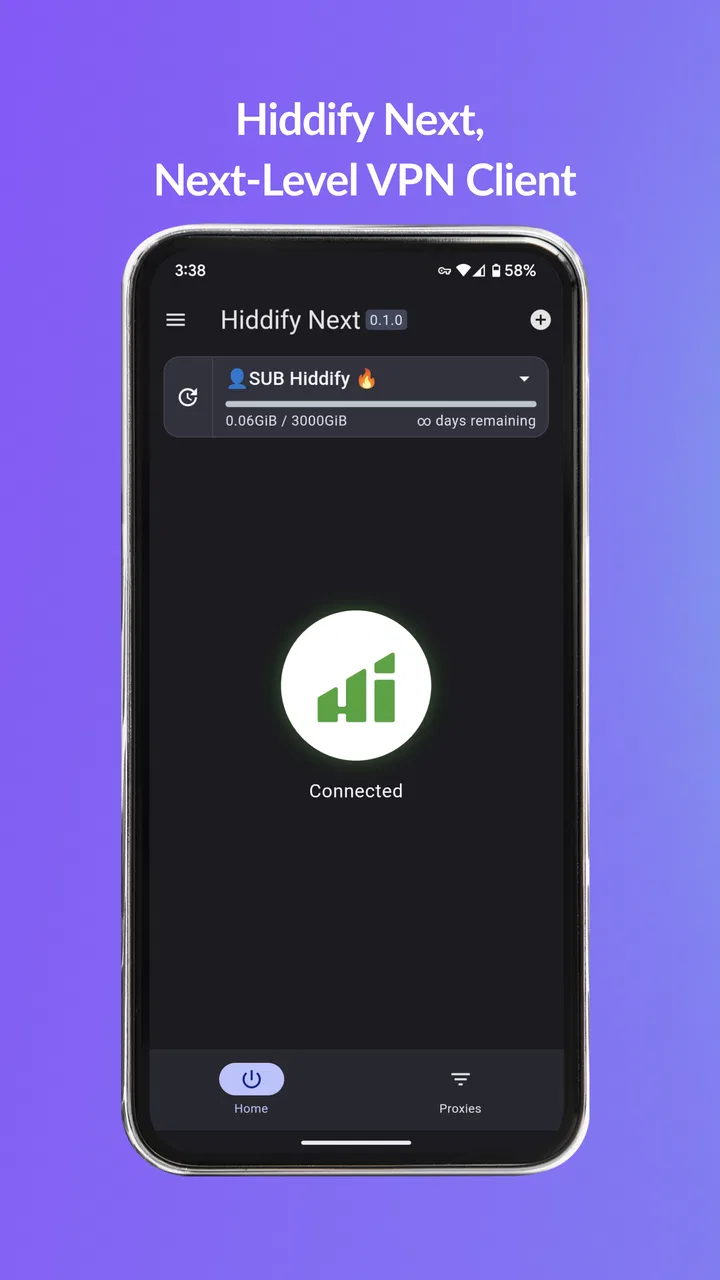
Hiddify is designed with user-friendliness in mind, featuring an intuitive interface that is easy to navigate for both beginners and experienced users. The app provides clear instructions and helpful tips to guide users through its features, ensuring everyone can maximize their privacy with minimal effort.
05What are the main security features of Hiddify?
Hiddify offers a range of security features including military-grade encryption, automatic kill switch, and DNS leak protection. These features ensure that your data remains secure even if the connection is disrupted. Additionally, Hiddify regularly updates its security protocols to combat emerging threats and vulnerabilities.
Pros
- User-friendly interface for easy navigation.
- Strong encryption ensures data privacy.
- Quick setup with minimal configuration.
- Cross-platform compatibility enhances accessibility.
- Supports multiple languages for global users.
Cons
- Limited free version features.
- Occasional connectivity drops.
- Customer support can be slow to respond.
- Some features require in-app purchases.
- Not optimized for older devices.

Hiddify
Gallery